RSS

Tag Archives: business

What are the types of transcription?

What are the types of transcription?

There are many different types of transcription, and when you work as a transcriber, you might be asked to do any or all of them. Later in your transcription career, you may choose to specialise in one, and this can be useful for your career. It’s important to know about the kinds of transcription so that you can provide the best possible transcript for your client – if it’s important to them to include everything everyone says and you do an intelligent transcription, your transcription might not even be any use to them!

The different kinds of transcription

These are the main types of transcription. Be careful, however: some clients might describe these different types in different ways, using different language or explaining what they want rather than using a particular term.

Phonetic / linguistic transcription 

Phonetic or linguistic transcription is a highly specialised form of transcription which records not only the words used but the tone taken by the speakers and the exact overlap when two people speak. It is used when the client need to record what is said and how it’s said, because they need to analyse speech acts by a speaker or the exact nature of the interaction between two or more people.

I have encountered this kind of transcription being requested by linguists or clinical psychologists. In fact, I’ve also seen it in books and academic works about speech and interaction.

In phonetic transcription, you record the pronunciation of the words and the rise and fall of the sentence, overlapping utterances, etc., using specialised notation. Linguistic transcription does everything except the phonetic aspect.

For both kinds of highly specialised transcription (which is so highly specialised that I don’t offer it), you will be expected to use a range of symbols and probably a special template.

Time and pricing This is the most time-consuming type of transcription by far – expect to take twice as long as your normal speed, if not more. However, as a highly specialised type of work, the rate per audio minute is higher.

Video / descriptive transcription / captioning

If you’re doing video transcription of a film which is not simply of one or two people speaking, you may be asked to provide descriptive information or take down the text that appears on the screen. The purpose can be either to provide captions on the film in the same language, or to provide a script for translators to translate into another language.

This can involve two different aspects:

  1. Recording the wording in any information that appears on the screen: this could be marketing information, information about the speaker’s job and company, wording on diagrams, etc. This is usually requested when you’re producing text that will be translated.
  2. Recording the movements of people and other noises than speech, e.g. slamming doors, a car pulling up outside. This will usually be requested when your client is captioning the film.

Captioning itself is a specialised art and I refer any true captioning jobs over to a friend and colleague who is experienced with it.

Time and pricing: This again is specialised work and takes extra time to do; for example, the words on the screen might appear at the same time a voiceover is saying something else, so you might need to go over the same tape twice. Therefore there’s an argument that you can charge a little more. Captioning is a specialised art and commands higher rates, but you really need to know what you’re doing.

Verbatim transcription

When we do a verbatim transcription, we record every single the speakers say, but using standard typing and symbols.

This is used by, for example, legal clients, researchers and marketing companies and anyone who wants to get the full flavour of how the person was speaking. Many of my ghost-writing clients also want verbatim transcription so that they can catch the exact way the subject speaks and capture that to write their book to sound as if it’s written by the subject.

Time and pricing: I use standard pricing for these three kinds of transcription from here onwards, as they actually take around the same length of time to do: the time typing errs and ums and repetitions can be used up by thinking about how to rewrite someone’s words!

Edited transcription

An edited transcription is a slightly tidied up version of a verbatim transcription. It is usually requested by general interviewers and journalists, and also some academic researchers and writers. Ghost-writers might ask for a small amount of editing just to limit the number of ums they have to remove before they can write up their book.

So the editing can have various levels, but usually means removing ums, ers, and repetitions, as well as any “speech tics” such as repeatedly adding “you know” or “d’you know what I mean”.

You do the editing as you type, as it would be far too time-consuming to type out a verbatim transcription and then go back and edit it. Once you’re used to it, it’s quite quick and easy to do.

Intelligent / smoothed transcription

In this type of transcription, you will typically turn non-standard or non-native English into standard English. You are likely to be altering grammar and even wording, as well as doing the activities involved in an edited transcription.

I have two types of client who ask for this kind of transcription:

  1. Companies that produce conference or meeting reports – they want standard English throughout, and any speaker who is a non-native English speaker or even one that is a native English speaker but has a very idiosyncratic way of speaking will be smoothed out and standardised.
  2. Marketing companies that are doing research on a client’s product with its customers, for example. All they want is what the client thinks, straight and simple, to report back to their client, and may well ask me for an intelligent transcription.

Time and pricing: This is quite a specialised variety of transcription, as you need to be very confident in your own ability to write a good, grammatical sentence, to understand what someone has said and rephrase it. As a by-product of the kind of speaker whose words you are smoothing out, you need to be good at understanding non-native English accents. Not everyone is skilled at this, but if you are, it’s really fun to do, as it involves more thought than the other standard varieties of transcription. It does take a little longer than verbatim and edited transcription if the speaker is hard to understand, and I may charge a little more on that basis.

How do I find out what type of transcription my client wants?

If a client wants captioning or linguistic transcription, they will usually know this and provide templates and instructions: they will also check you know how to do this (don’t try to guess if you don’t have any training in this: it won’t work and it will end in tears!) and might give you a test.

To find out whether my client wants verbatim, edited or intelligent transcription, I include this question in my initial questions to the client:

“Do you want the transcription to have a complete record of all ums and ers / to be tidied up of ums and ers and repetitions / to be tidied into standard English and complete sentences where possible?”

This will usually get them to confirm what they want, even if they don’t use the specific terminology.


This article has explained what the types of transcription are and when they might be used, as well as examples of what they look like and some information on their particular challenges. You now know about linguistic transcription, film transcription and captioning, verbatim, edited and intelligent transcription.

If you’ve found this article useful, please do comment below – I always love to hear from my readers! There are sharing buttons there, too, so you can share this on whatever social media platforms you use. Thank you!

Other useful articles on this blog

How do you start a career in transcription? – are you suited for it?

The professional transcriber – the technology you need

10 top tips for transcribers – what every new transcriber needs to know

Why do you need human transcribers, anyway? – I explain why!

Keyboards, ergonomics and RSI – the risks and keeping safe

Transcribing multiple voices – hints to make it easier

Why do transcribers charge by the audio minute? – explains it all

How long does transcription take?

My book, Quick Guide to your Career in Transcription is available in print and online

 
7 Comments

Posted by on March 22, 2017 in Business, Transcription, Word


Tags: , ,

What is verbatim transcription?

What is verbatim transcription?

Transcription clients often want different levels of detail and accuracy in their transcriptions. They sometimes ask for a verbatim transcription. This article explains what verbatim transcription is.

What is verbatim transcription?

The dictionary definition of verbatim is “In exactly the same words as were used originally” (Concise Oxford Dictionary) and this really explains what verbatim transcription is.

In verbatim transcription, the transcriber types out EXACTLY what is said, including any pauses, mistakes, repetitions, stumbles, fillers (er, um, you know what I mean) – everything.

Why would a client request verbatim transcription?

The three reasons I find for a client requesting a verbatim transcription are:

  • A researcher looking at the way people talk about a particular subject might need to know exactly what was said and how it was said
  • A market research company might need to drill down to the specific way in which people talk about their product, including stumbling over the product name or searching for ways to describe it
  • A legal transcription will usually need to be a highly accurate description of what was said and how

How is verbatim transcription different from other kinds of transcription?

Verbatim description is quite different from other kinds of transcription. A journalist interviewing a subject, someone doing general research or a company producing conference reports will not want every single false start, um and er recorded. They might even need you to smooth out the transcription for them so that it reads more clearly.

Here are the main types of transcription in order of their accuracy or match to what was actually said, going from most exact match to loosest match.

  • phonetic / linguistic transcription – this is a very specialised form of transcription used by, for example, linguists or clinical psychologists. In phonetic transcription, you would record the pronunciation of the words and the rise and fall of the sentence, overlapping utterances, etc., using specialised notation. Linguistic transcription does everything except the phonetic aspect.
  • verbatim transcription – as discussed above, this records everything the speakers say, but using standard typing and symbols.
  • edited transcription – this can have various levels, but usually means removing ums, ers, and repetitions, as well as any “speech tics” such as repeatedly adding “you know” or “d’you know what I mean” as you type.
  • intelligent / smoothed transcription – in this type of transcription, you will typically turn non-standard or non-native English into standard English, altering grammar and even wording as well as doing the activities involved in an edited transcription.

All of these can be complicated and take extra time and effort, and you may find that you’re better at one kind than another. Personally, I really enjoy doing Intelligent Transcription, but do all of the types except the highly specialised Phonetic/Linguistic Transcription.

How do I know if my client requires verbatim transcription?

Many clients will tell you up-front if they require verbatim transcription. If they don’t specify, then do ask. I have a standard set of questions I ask all new clients to get their preferences – this includes asking if they want me to transcribe the recording absolutely accurately, or smooth out the ums and ers, etc.

More to come! Watch this space for more details on the types of transcription, with examples!


This article has explained what verbatim transcription is and why you might be asked to do it.

If you’ve found this article useful, please do comment below – I always love to hear from my readers! There are sharing buttons there, too, so you can share this on whatever social media platforms you use. Thank you!

Other useful articles on this blog

How do you start a career in transcription? – are you suited for it?

The professional transcriber – the technology you need

10 top tips for transcribers – what every new transcriber needs to know

Why do you need human transcribers, anyway? – I explain why!

Keyboards, ergonomics and RSI – the risks and keeping safe

Transcribing multiple voices – hints to make it easier

Why do transcribers charge by the audio minute? – explains it all

How long does transcription take?

My book, Quick Guide to your Career in Transcription is available in print and online

 
Leave a comment

Posted by on March 8, 2017 in Business, Transcription, Word


Tags: , ,

How long does transcription take?

How long does transcription take?

As a busy professional transcriber, I get a large number of queries from potential clients. They often want to know how long it will take for a transcriber to do their tape, how quickly a transcriber works. So, how long does transcription take? I’ll share a few details to make it easier for people to understand the parameters.

How long does it take to transcribe a tape?

I did a quick poll among other transcribers I know, and the answer does vary, but on average, it takes 30 minutes to transcribe 10 minutes of tape. So if you have an hour-long tape, it will take me around 3 hours to transcribe it (if you try it yourself, and you’re not a professional transcriber, it’s likely to take a lot longer. If it doesn’t, consider a career change!).

What factors affect how long it takes for a tape to be transcribed?

There are various factors that will make the tape take a longer (or shorter) time to transcribe.

It takes less time to transcribe an audio file if …

  • The speakers speak really slowly and clearly
  • It’s an interview and I’m asked to only take notes on what the interviewer says

It takes more time to transcribe an audio file if …

  • There are more than two speakers
  • The speakers have strong accents
  • The tape quality is bad (muffled / quiet / picking up the background noise too much)
  • The speakers are speaking really quickly
  • There are a lot of technical terms or other details which I need to look up
  • I’ve been asked to use a complicated template or put in more than the standard number of time stamps

That’s why I and other transcribers tend to charge extra for additional speakers, extra time stamps and ‘difficult’ tapes

How long does it REALLY take a transcriber to type out an audio file?

What people sometimes forget – both transcribers when quoting for work and clients when asking for quotations, is the need for rest. Typing for hours at a time can be quite brutal on the hands / shoulders / back / ears / eyes. Transcribers need to take breaks. There’s also the time for checking at the end – listening right through or at least running a spell check.

So an hour-long tape is not likely to take me exactly 3 hours; I’d say more like 3.5 to 4 hours. I try not to type for more than 7 hours a day, and I prefer not to do it late at night (though I do do it early in the morning instead).

Your transcriber might also have other projects which need to be completed before they can start yours.

All of these factors mean that you shouldn’t be surprised if you ask about an hour-long tape and find out it will take a day or 24 hours to return to you. I’m sure my fellow-transcribers like to be flexible, as I do, but there are limits to human endurance!


Hopefully this article has clarified the amount of time it might take your transcriber to transcribe your tape. Typing speed is one thing, transcription speed is another, and remember that your transcriber is human (that’s why they’re good at what they do) and needs to look after themselves.

If you’ve found this article useful, please do comment below – I always love to hear from my readers! There are sharing buttons there, too, so you can share this on whatever social media platforms you use. Thank you!

Other useful articles on this blog

How do you start a career in transcription? – are you suited for it?

The professional transcriber – the technology you need

10 top tips for transcribers – what every new transcriber needs to know

Why do you need human transcribers, anyway? – I explain why!

Keyboards, ergonomics and RSI – the risks and keeping safe

Transcribing multiple voices – hints to make it easier

Why do transcribers charge by the audio minute? – explains it all

My book, Quick Guide to your Career in Transcription is available in print and online

 
6 Comments

Posted by on November 17, 2016 in Business, Transcription, Word


Tags: , ,

Being kind: coopetition versus competition

Being kind: coopetition versus competition

It’s been a difficult year, with feelings, especially political ones, running high, and society seeming to fracture. There are a lot of unknowns out there, and when faced with the unknown, people tend to huddle together with the familiar, fearing or lashing out against those not of their “tribe”, whatever their tribe might be.

It’s no different with small businesses. I see a lot of people and industries that seem afraid of bonding with their competitors to offer more to customers; who see everyone in their line of business as a threat. I’m not saying that there’s more than enough work to go round; what I’m saying is that behaving kindly towards your competitors might see you doing better with your business.

Here are some tips.

Talk to your competitors; network

How do you know who to trust? I’ve found the fellow editors I trust and recommend on to through friendship groups, friends of (editing) friends on social media and networking. Even I shy away from recommending clients to unknowns, but get to know people, chat to them about your industry, help them out and let them help you. In this way, you can build up a network of people who can support you, and who you can recommend clients to.

Rather than saying no straight out, recommend on

It happens to all of us: feast and famine. If you have a lot of work on, too much to take on that extra client, why not recommend them on to a trusted colleague? They will think better of you if you find them someone to work with rather than just saying no and leaving them to get on with it. Maybe your name will pop into their mind when they have the next job.

Help the client find their best fit

If a prospect comes to you with a particular type of work that isn’t your best offering, recommend them on to someone who will be a great fit. I don’t do a lot of fiction editing now, and certainly don’t edit certain genres. I will always seek to recommend the prospect on to someone else who I know will do a better job, making it clear that this is not where my specialism lies, but making sure they know what I do. Hopefully the warm, fuzzy feeling of being sent on to someone who can help will extend over into remembering me when they have that piece of work that’s better suited to me.

Reciprocity and karma

Even if those prospects you’ve recommended on don’t come back to you, I’m pretty well certain that the person you recommended them on to will do likewise when they’re busy or confronted with something in which you excel. I know this has happened for me.

Cover clients without stealing them

A friend and I cover each other’s regular clients when one of us is on holiday (this of course means that if we meet up with each other, all hell tends to let loose …) We wouldn’t dream of stealing those clients, of poaching clients, saying, “Why don’t you stay with me now”. What a relief to know you can go on holiday – or be ill – and have someone to look after – but not steal – your regulars!

If you’re nasty about a competitor, it’s likely to backfire on you

I’ve seen a few examples of either direct nastiness about a competitor’s services or people scoring points in industry forums. What I’ll say here is that if a potential customer or partner sees that kind of behaviour, I think they’re going to be much less likely to buy from you, and would be less likely to recommend you to others. If we’re in the same industry, I wouldn’t be inclined to pass work on to you.

This goes for being nasty about customers, too

Yes, we all need to let off steam, and have private places to do that. If you’re rude about a customer in public, you may well make people wonder how discreet you’re going to be about any work you do for them (what if they needed to do a return after a genuine problem?) and I’d have concerns about anyone I’d send over to you.

Be kind. Work with people not against them. Help others out.

That’s it, really. It’s just my thoughts, gleaned from 7 years in business working out how it all works: it’s called coopetition when people cooperate and work together rather than in conflict. I’ve felt happier and more comfortable working in this way, and I also know that people will recommend clients over to me and I can take the odd holiday!

 
9 Comments

Posted by on November 10, 2016 in Business, Ethics


Tags:

Five ways to drive and increase engagement with your blog

Five ways to drive and increase engagement with your blog

My viewing figures have gone down. No one is buying my books at the moment. Who wants to start a new business at a time like this? Well, here are five pointers to driving and increasing (or maybe, at the moment, maintaining) engagement with your blog. And here I am doing number five right now …

5. Publish more blog posts

The search engines like you to have regularly updated content, to make sure they’re not sending people to an out-of-date source of information. I find the sweet spot comes at around three posts per week. They don’t have to be long. Try mixing things up with different subjects or types of article.

4. Share useful information

One of the most-viewed of my blog posts is still one I wrote as a note for myself in 2011 on how to sort out a problem with Word. Still gets those hits, even now – and thank you comments.

3. Seek engagement

Ask questions. Put those share buttons on your blog (here’s how to do that in WordPress) and ask people to share if they found it useful.

2. Add Like buttons to comments on your posts

I love this feature of WordPress (and here’s how to do it) – if you Like as well as reply to comments, your reader will be alerted and should get a good feeling about you. If you don’t have time to reply right away, a Like will let them know you’ve read and appreciated their comment.

1. Reply to comments on your blog posts

I read a lot of blogs. If I put a comment on a blog post and the original commentator doesn’t respond to it, I feel ignored. I’ve talked about this at length on posts about reciprocity in social media (including blogs). I really try to reply to comments on my blogs within 24 hours; if I can’t do it quickly, at least I’ll “Like” the comment. Personally, if I read and comment on a blog and never get any acknowledgement, first I’ll stop commenting, then I’ll be less likely to read it. So I assume other people are like me and will do the same. Of course there are reasons why people can’t reply to blog comments temporarily, or don’t see some of them, but if it’s a constant feature, lots of comments with no replies, I’ll tend to lose interest.

I hope these ideas have been useful to you and help you to drive more engagement on your own blogs!

 
13 Comments

Posted by on June 29, 2016 in Blogging, WordPress


Tags: , , ,

Glossaries for transcription: What, why, when and how?

Glossaries for transcription: What, why, when and how?

It’s sometimes useful for and sometimes imposed upon a transcriber to use a glossary. What is a glossary, why would you use one, when should you use one and how do you use one?

What is a transcription glossary?

In my opinion, a good transcriber is an accurate transcriber. They look things up rather than sticking down the first thing they (think they) hear. When I’m transcribing, I always have some kind of reference resource open, whether that’s Google, the subject’s website, Wikipedia or something specific like discogs for looking up band and album information.

A glossary is a list of technical or subject-specific words or phrases which appear regularly in (usually a long series of) transcriptions. It helps you to avoid having to look things up more than once. The glossary acts as a reference for you, so you need only look up, say, the place the subject was born or the names of her children once, note them down, then have them to hand when they crop up again. It’s like a style sheet in many ways.

You might also be given a glossary as part of a corporate transcription project – this will happen where (usually) a company requires you to use certain specific terminology or acronyms in your transcription. I always ask for one of these at the start of a big corporate project, as it saves annoying the company by (for example), typing Park Run throughout the transcription rather than parkrun [that’s a completely invented example; I’ve never transcribed anything about parkrun].

Why should I use a transcription glossary?

As I said above, a good transcriber will look stuff up. If you’ve got a series of transcriptions, for example a set of interviews for a ghostwriter, a set of lectures about a particular topic or a set of tester interviews for a cosmetics company, it makes sense to keep a note of specific or technical terms and phrases. For example, if someone’s made a number of YouTube films, having a list of them is easier than looking it up each time.

Using the glossary will save time, as instead of looking up your subject’s children’s names three times, you’ll look it up once, note it down once, then cast your eyes over your glossary next time.

Of course, as I also mention above, you might be asked to use a glossary (or word list, or list of terms) by your client – usually a corporate client.

When should I use a transcription glossary?

There’s no point in putting together a glossary for a one-off interview or other transcription job. These are some examples of when I’ve used glossaries [these are disguised due to NDAs]

  • working for a ghostwriter writing a book about an entertainer – place of birth, film-making colleagues and YouTube video titles were all checked and written down
  • working for a marketing agency testing lipsticks with a panel – lipstick colour names, technical terms to do with lipsticks and general cosmetics terms
  • working for a student researching attitudes to perfumes – technical perfume terms, companies making perfumes and perfume names
  • working for a financial company taking down lectures and discussions, I was given a list of technical terms and acronyms to use

How do I put together a transcription glossary?

I have a Word document open alongside the one in which I’m typing my transcription. As I look up a name or term, I pop it on the list. I will usually divide up the list by people, places, albums, etc.

I then keep both documents open, so I can see the glossary as I’m typing, which means I can just flick my eyes across to the glossary when the interviewee says “Mytholmroyd”, I know how to spell it or indeed what they’re saying [apologies to anyone from there].

This article has explained what a transcription glossary is and when, why and how you might find one useful in your work as a transcriber.

If you’ve found this article useful, please do comment below – I always love to hear from my readers! There are sharing buttons there, too, so you can share this on whatever social media platforms you use. Thank you!

Other useful articles on this blog

How do you start a career in transcription? – are you suited for it?

The professional transcriber – the technology you need

10 top tips for transcribers – what every new transcriber needs to know

Why do you need human transcribers, anyway? – I explain why!

Keyboards, ergonomics and RSI – the risks and keeping safe

Transcribing multiple voices – hints to make it easier

Why do transcribers charge by the audio minute? – explains it all

My book, Quick Guide to your Career in Transcription is available in print and online

 
2 Comments

Posted by on May 18, 2016 in Business, Transcription, Word


Tags: , ,

12 things I learned from the Great Computer Crash of April 2016

deskI have automated back-ups that keep a copy of my work every day. I have a system in place for if my computer fails. I thought I had it all covered, and I almost did – but this is what I learned when my hard drive suddenly crashed in somewhat epic fashion one week last month, followed by another, more catastrophic crash of the cobbled-together system I was working on while plucking up the courage to move to my new computer. I thought it might help other people – do share your tips in the comments!

1. Check your back-ups are working

It’s great to have back-ups running, but do check periodically that they are running.

2. If you have two back-up systems, one immediately accessible, one not, it is the accessible one that will fail

Therefore, be prepared to have a short time without your data before whoever it is that can access your back-up can do so.

3. Have a reserve computer of some kind

Don’t assume you will be able to use your computer after a crash. I had my laptop as my reserve; I would now be using my old computer as a reserve, if I hadn’t broken in.

4. If you have a reserve computer, run maintenance on it every few weeks

That way, when you come to use it in a panic (see 5), it won’t be wanting to do 5,000,000 updates and will have a wi-fi connection that works more quickly than wading through mud.

5. Crashes aren’t predictable but you can predict one thing …

They won’t happen when you have three weeks with not much work on. They will come when you have a busy week. If it crashes twice, that will be in two busy weeks and might make you miss a theatre trip.

6. There is no good time to move to a new computer, but do it as soon as you can

If you get a new computer but you’re baulking on swapping over to it, make yourself do it as soon as you can. Doing that “one last thing” before I moved over was when my second and worse crash – the one that lost data – happened.

7. Always be ahead with your work deadlines

This saved me, just. I lost two half-days but was able to salvage my work. I will even more strive to work ahead of myself.

8. Don’t get so hyper-vigilant that you stress yourself out

I had a separate special folder for all the work I’d done since the crash, on an external hard drive, for far too long, out of fear. That’s the same fear that stopped me moving to the new computer.

9. If you have to upgrade to Windows 10, it’s easier to do on a whole new machine

One positive: I ended up on Windows 10 by default, as my new computer has it. Much less stressful than having to do an upgrade on your current computer.

10. Keep a list of what software you use regularly

Not everything you’ve downloaded, but when setting up a new computer or restoring things from a crash, you might well need this in order to get going quickly.

11. Keep all your access codes, software licences etc. in one handy, easy to find place

I’m not suggesting you write down all your passwords – you can use a system like LastPass if that’s feasible for you, but all those codes and licences, etc. might be needed when reconstituting your computer – keep them somewhere sensible, like a special folder in your email.

12. Have a disaster plan; review the plan; keep everything for the plan up to date

It will happen to you: don’t think it won’t. Keep reviewing that plan. For example, I’m reviewing how I back up my files, although I have contracts in place that don’t allow me to store data in The Cloud.

These are the things I learned. Anything particularly helpful there? Anything to add? I’d love it if you popped your words of wisdom into a comment.

 
2 Comments

Posted by on May 4, 2016 in Business, Errors, Organisation


Tags: , ,

How to get a good start to your self-employment

handshakeI recently did some consultation work with someone who is exploring moving into being self-employed. He was a shining example of what you should do (in my opinion), even before his chat with me – and it’s inspired me to put down some bullet points that I think give some ideas of good practice for anyone considering starting out in self-employment.

Here’s what Bob has done to get a good start to his self-employed life:

  1. He knows what he wants to do and – crucially – he’s passionate about it.
  2. He’s prepared by saving up some money to live on while he develops his business. This will save him from having to rush into things and make mistakes.
  3. He’s found some mentors, both in his business and outside it in the general small business world.
  4. He’s arranged some work experience with someone in his chosen field.
  5. He’s already understood that it’s not great to do things “for free” – far better to do them for your portfolio, for a reference, for a recommendation.
  6. He’s willing to learn – both his particular skill and about general business principles.
  7. He’s open-minded about where his business might take him and willing to grasp new opportunities.
  8. He’s prepared to outsource and ask for help, e.g. getting a family friend involved in setting up his website.
  9. He’s prepared to be accountable, planning to keep me and maybe some others updated on how he’s doing.
  10. He’s accepted that it’s likely to be an emotional journey, more than any career within a larger organisation usually is.

I think all of these things stand him in good stead for a successful and happy change to self-employment. And there are ten of them – how handy!

If you want to read about how I moved into self-employment and the freelancing life, take a look at my business category on this website, or even my books. No pressure, though – you might just want to take these principles to heart!


2 Comments

Posted by on April 6, 2016 in Business


Tags: ,

How can I transcribe more quickly?

Because transcription is usually paid by the audio minute (i.e. if you have a 20 minute tape, you will be paid 20 x your per-minute rate), the faster (and more accurately) you transcribe, the more money you can make per hour. Here are some tips from my own experience about how you can transcribe more quickly. It’s not all about typing faster, either – it’s about typing faster and typing smarter and working smarter.

All links are to my own articles that explain the topics in greater depth.

Typing faster

One main way (but not the only way) to improve your transcription speed is to simply (ha!) type more quickly. Here are some tips on how to build your typing speed. The first one might surprise you ..

  • Number one tip: trim your fingernails.

I have studied this (because someone has to) and I can improve my typing speed by about 5% by trimming my nails. I can type more quickly when just the pads of my fingers are striking the keys. It also takes longer to wear the letters off your keys if you’ve not got long nails to scratch them …

  • If you’re serious about going into transcription, especially if you have a specialised medical or legal background where the fees are that bit higher, it’s worth investing in typing training – have a look at Pitman courses.
  • A decent keyboard will also help you to type more quickly. Have a look at my post on ergonomics and keyboards, as I cover that there in a lot of detail. But typing on a decent keyboard as opposed to bashing away at a laptop or netbook will improve your typing speed.
  • The more you type, the faster you’ll typically get, up to a point. So you might start off a bit slow, but your speed should pick up, if you’re touch-typing reasonably accurately.

Typing smarter

As well as physically typing faster, you can use technology to help you to transcribe more quickly and efficiently.

  • If you’re not using transcription management software, start doing so (read more on this here). This doesn’t do your typing for you, but it allows you to manage the speed of your tape and stop and start it in the most ergonomic way possible.
  • Use autocorrect to your advantage. I’ve written about this at length in another article, but these are the most important points for building speed and accuracy:
    • Set up common shortcuts right from the start – bec = because, w = with, nec = necessarily, etc. Add these are you come across them.
    • Set up any words you commonly misspell – you can do this when you’re spell-checking, as there’s an autocorrect option in the spell check dialogue box (I have trouble typing occurred correctly, for example).
    • As soon as you recognise commonly used words or phrases in your particular tape, get them into the autocorrect. Long album titles? The name of a big exhibition the artist is working on? Moisturiser and concealer in a set of interviews assessing makeup? If they come up more than twice, create an autocorrect for them.
    • If you’re typing the names of people in the conversation, have a convention, e.g. aa for the interviewer, bb for the first interviewee, change the autocorrected text for that shortcut for each tape (e.g. aa might be Interviewer for one tape, Manager for another, Anita for a third, bb might be Interviewee, Employee or Jane), and always use the same shortcut for the main and secondary person, so it’s super-easy to remember what to type.
  • How about using voice recognition software? This has got a way to go, and editing it, in my experience, takes as long as transcribing in the first place.

Working smarter

This is mainly around the things that delay you in doing the work – looking things up and distractions.

  • I look things up when I’m transcribing – band names, place names, etc. It’s far more professional to provide a transcription with the facts checked and anything you can’t hear or are unsure of marked. Make looking things up work the way you need it to:
    • I find it easist to look them up as I go along, you might finid that disturbs the flow. Do what’s best for you.
    • I have found from experience that if I can’t hear a word, especially a technical term or proper noun, often the interviewer will ask the interviewee to spell it out … just after I’ve spent ages looking it up. So let the tape run a bit and see if it helps you pick that information up without spending time searching for it.
  • I type for an hour at the very most, as after that length of time my posture droops and my typing slows. It might only be a stretch and a march up and down the stairs, but do break it up a bit. Read more about ergonomics here.
  • I do need to have the Internet turned on while transcribing, because I need to look things up, but I’m careful not to answer phone calls or even look at emails until my break. Nothing is that urgent it can’t wait, and three minutes spent looking at something, plus the time it takes to get back in the transcription zone, can lose a few minutes per hour of transcribing. It all builds up!

A final thought

I hope these tips have helped to give you some ideas about how to transcribe more quickly and efficiently. Here are two final thoughts …

  1. If you’re reading this and you’re a journalist or researcher, not a professional typist, especially if you can’t touch type, it’s probably a better idea for you to explore finding a transcriber to do it for you than to try to get faster. I can often transcribe a tape up to twice as fast as a non-professional, freeing my clients up to do their real jobs!
  2. However quickly you type, ALWAYS assume a job is going to take slightly longer than you think. Why do you think this is being posted on Thursday morning instead of Wednesday afternoon …?

If you’ve found this article useful OR if you have more tips for transcribing more quickly, please do comment below – I always love to hear from my readers! There are sharing buttons there, too, so you can share this on whatever social media platforms you use. Thank you!

Other useful articles on this blog

How do you start a career in transcription? – are you suited for it?

The professional transcriber – the technology you need

10 top tips for transcribers – what every new transcriber needs to know

Why do you need human transcribers, anyway? – I explain why!

Keyboards, ergonomics and RSI – the risks and keeping safe

Transcribing multiple voices – hints to make it easier

Why do transcribers charge by the audio minute? – explains it all

 
Leave a comment

Posted by on March 10, 2016 in Business, Transcription, Word


Tags: , , ,

Transcription tips: How do I transcribe a tape with multiple voices?

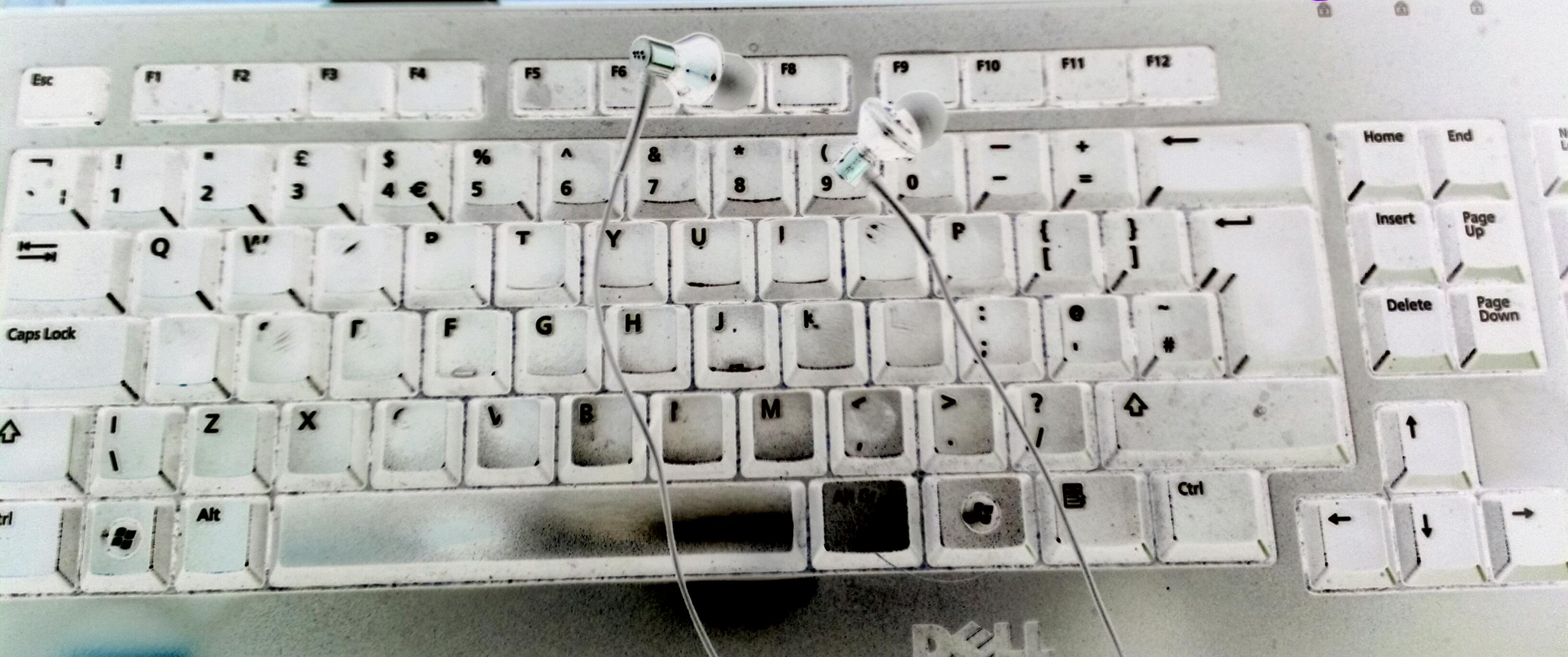
keyboard earphonesAlthough transcribing interviews by journalists or students that only involve two voices is the most common work I do, transcribers often have to work with tapes with more than two voices on them. How do you tell the voices apart so that you can differentiate them on your transcript? This article shares some tips I use to tell different voices on a tape apart.

What’s the problem with transcribing multiple voices?

I was transcribing an interview with two fashion designers today; my client had said it was OK not to differentiate them and the women themselves said that their voices were often confused. How did I tell the voices apart so I could produce a transcript that had the correct words attributed to the correct people?

Although it’s sometimes very easy to tell the people who are talking on a tape apart, for example if they’re a man and a woman, or one has a very strong accent, sometimes it can be difficult. Because it will help my client to know who said what, it’s important for me to try as hard as I can to differentiate the voices and make the transcript as useful as possible.

Before the interview: who are the interviewees?

If you know it’s going to be an interview with more than one participant, you can ask your client to help you from the very beginning.

Either they could ask their interviewees to introduce themselves by name at the beginning of the tape. Even if they are all, for example, young male voices, you can pick up a lot of information from this that will allow you to differentiate between them …

Or they could ask people to introduce themselves every time they make a point (this works in a more slow round table discussion at a conference, for example)

Taking the first option once led to a very sweet tape where the musicians in a band introduced themselves by name to me, mentioning my name, at the start: “Hello Liz, my name’s … and I hope you can understand me”. Aww!

After the interview but before you start typing: checking who is who on the tape

If you didn’t get the option to ask your client to get the interviewees to introduce themselves, it is OK to ask them who is who – for example, who speaks first, who has a voice that is distinctive in some way. They might also mention that, for example, the lead singer talks most and the person who only talks about one track is the drummer.

If you’re working on a discussion at a conference, you might be able to get some information from the conference website. For example, there might be a video up already that time stamps each person’s speech with a note of their name. Play the video, check the speech against your tape, and there you go.

When you’re transcribing: how do you differentiate between the different voices?

If you have no clues about who is who or who says what, there are still ways in which you can differentiate between voices on a tape. It can take time to get used to doing this, but it is useful.

  1. Check the video. This one sounds obvious, but if you have a video to transcribe, do look at it carefully. There may well be captions stating who is speaking, at least for the first time, and you can recognise who is who by their appearance. If there’s the option of a video for a conference or marketing meeting / focus group, do take it, even if it takes longer to download.
  2. Check where people are in space. In the tape I’ve been working on most recently, the speakers were sitting either side of the tape recorder. So, even though their voices were similar, one came from the left and one from the right. Result!
  3. Check the sound level/volume. If one person is sitting further away from the recorder, they will sound fainter.
  4. Check for even slight accents. There may be a non-native-speaker or regional accent on the tape: listen for different vowel sounds or intonation.
  5. Check the ums, ers and filler noises. These really vary across speakers and can make a difference. Person 1 might say “like” constantly, while Person 2 “ums” and “ers”.
  6. Check for clues in the environmental context. Does Jane order food but Sally just have a coffee? The one talking through her dinner is likely to be Jane.
  7. Check for clues in what they say. I often switch off from the content when I’m transcribing, just letting the words come into my ear and out of my fingers. But people will refer to each other by name, and this gives you a good clue to who is who, or reinforces your first thoughts (If the person you think is Pete refers to “Pete”, unless you have several interviewees with the same name, he’s unlikely to actually be Pete!).

I have two other handy hints to add, which I use all the time …

  • Draw a plan or write notes! When I work out who is who, I will write a little diagram out or make notes – “Bella … Jean” for the left/right ones, “Jim: high-pitched. Bob: rumbly and quieter” etc.
  • If you can’t put a name by each participant, at least try to break the text up into paragraphs spoken by different people. You might be able to go back and add the names if Julie says, “As Veronica said earlier, it’s difficult opening a tin of Spam”, for example.

It can be challenging when you find you need to transcribe a tape with more than one or two voices on it. As you have seen, there are things you can do to make this easier before the interview even starts, once you receive it and during the transcription process.

If you’ve found this article useful, please click to share! If you are a transcriber and have any tips to share on this topic, please do comment below!

If you want to learn more about Transcription as a career, buy my book: A Quick Guide to Transcription as a Career – buy from Amazon UK or visit the book’s web page for worldwide links and news.

Related posts in the series:

Why do transcribers charge by the audio minute and not per word?

How do you start a career in transcription?

Why you need a human to do your transcription

Being a professional transcriber – software to use to help

Ten top tips for transcribers

 
4 Comments

Posted by on December 18, 2015 in Business, Jobs, New skills, Transcription, Word


Tags: ,