RSS

Tag Archives: learning

A book for fiction writers – Elizabeth M. Hurst – “The Wordsmith’s Guide to Planning the Perfect Plot”

Over on my book review blog today I’ve reviewed this book, which is a great choice for any fiction writers who are keen to find out new ways to do plotting and planning. While I myself only edit nonfiction these days, I know a lot of fiction writers find this website, so this one’s for you! Read all about it here (with thanks to Elizabeth M. Hurst and Rachel’s Random Resources)

 
Leave a comment

Posted by on October 18, 2025 in Writing


Tags: , ,

Editing resource review – QuickStyle Customizable Editorial Style Sheet

Editing resource review – QuickStyle Customizable Editorial Style Sheet

As an editor and proof-reader of many years standing, I use style sheets as a matter of course (if you’re not an editor or you’re new to the business, you can refresh your memory on using a style sheet for proofreaders and editors and for writers). I have a very simple template which I use as a basic style sheet for, say, self-publishers who haven’t created one of their own, or I use a journal, publisher or university’s one. What I didn’t realise I needed until Hazel Bird of Wordstitch Editorial (coincidentally the same age as my own business) got in touch was a customisable style sheet that I can tweak to any requirements I wish!

What did I receive?

I received a copy of the style sheet in read-only format (to keep, and save-as to create my own customised versions) and a very useful PDF guide. I work on a PC but the download included the Mac versions, too. It comes in a .zip file so it’s not too big to send and receive.

What does it look like and what does it do?

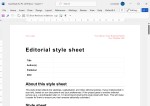
When you open the Word template document, you can immediately see that you can add your own business name and logo, making it entirely yours:

Screenshot of the top of the style sheet showing where you can add your logo and details

Obviously, you can add your branding then save a copy that’s “yours”. The bit of text at the top is spot-on already, but you can amend that, too.

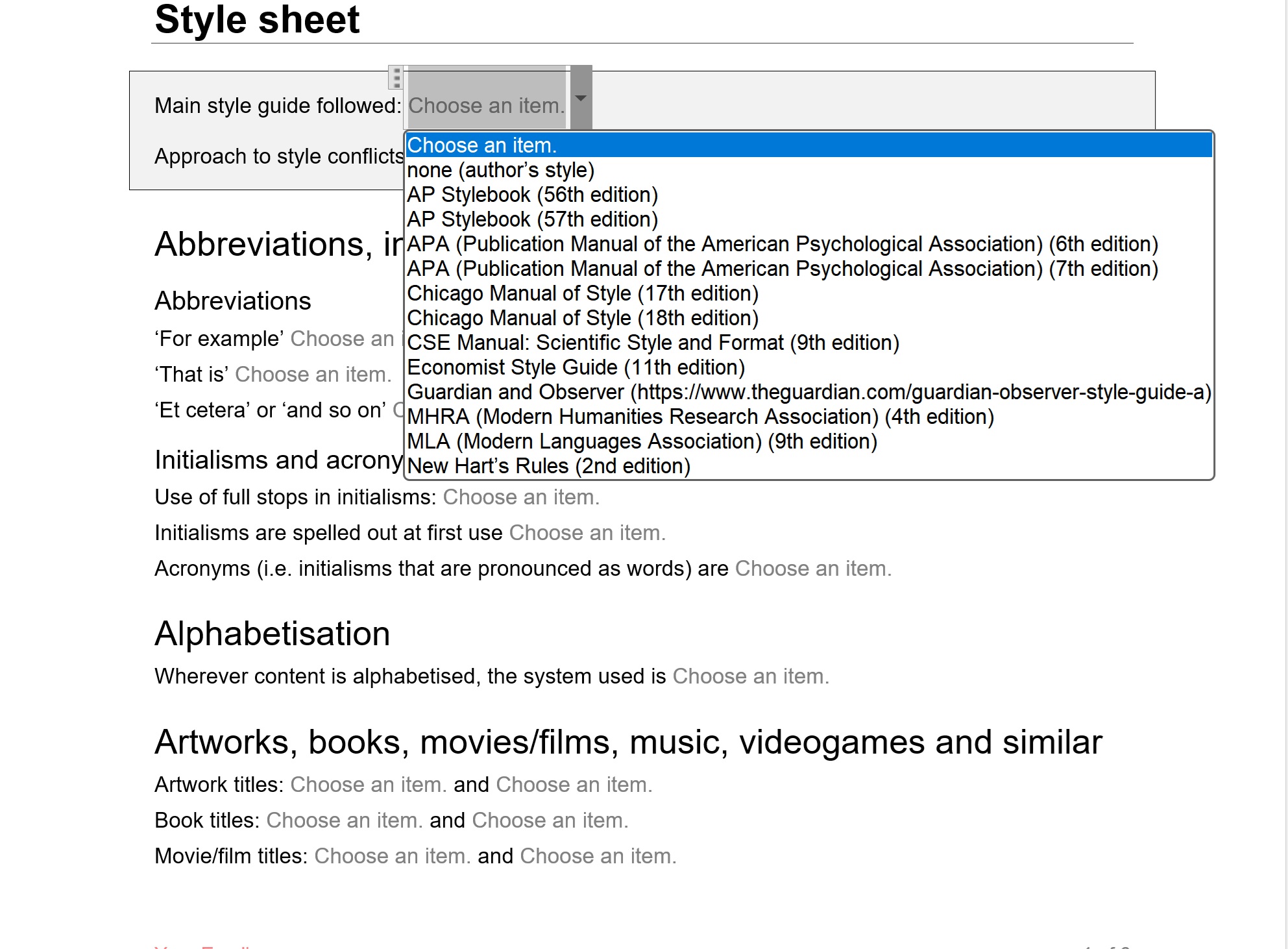
Then we get to the nuts and bolts: first of all, you can state the style guide you’re being led by:

Screenshot showing how you can choose a style guide to follow

It’s worth noting here that there is even an “Approach to style conflicts” box so you can record whether the chosen style guide is the law set in stone or whether the client’s different uses trump the style guide.

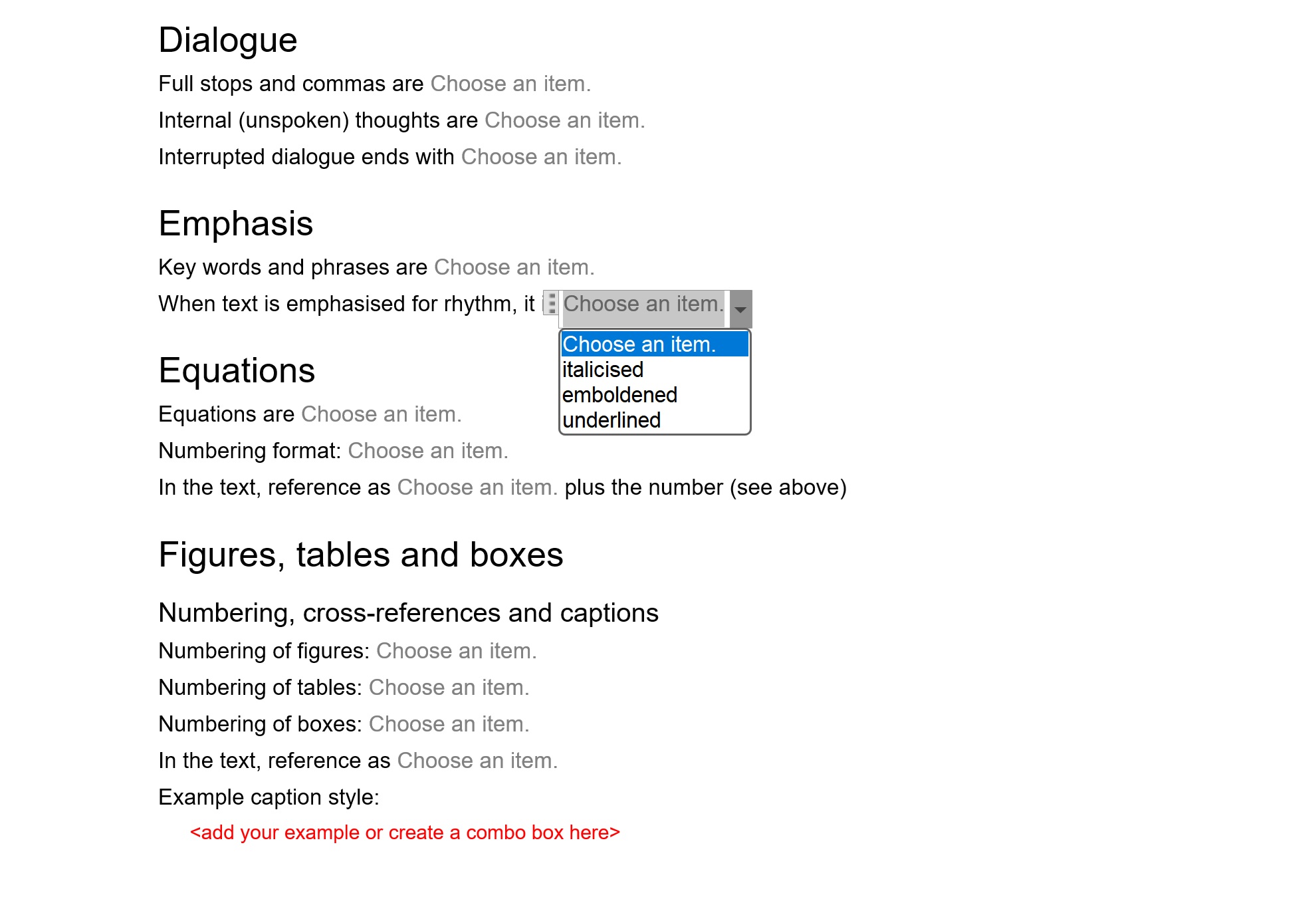
The template then goes on, in alphabetical order, to let you choose the options for everything from abbreviations onwards.

Examples of areas you might define rules for with one drop-down open

There are so many choices, which is great: I couldn’t find anything missing and you can always add any special ones to the list.

What about help?

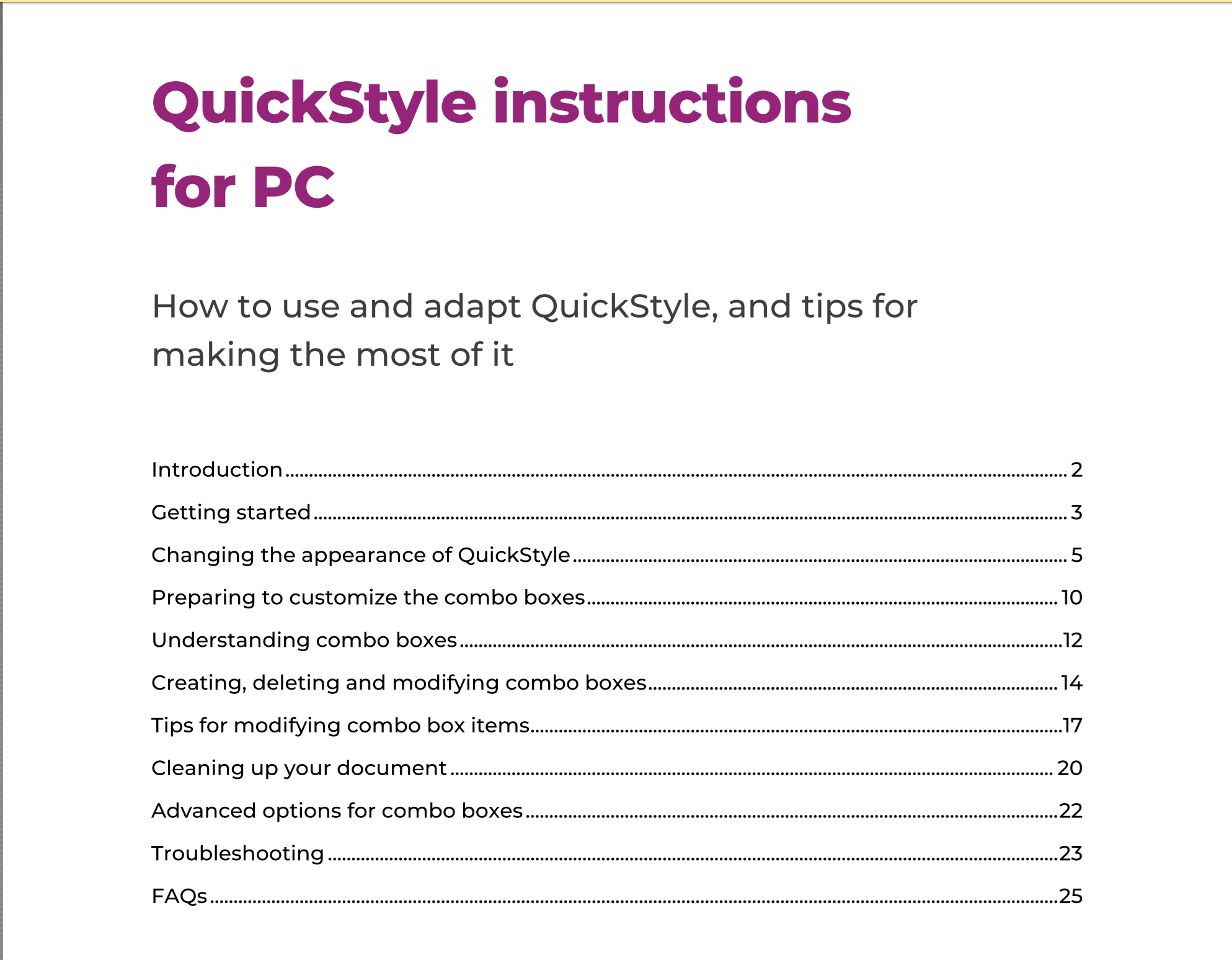
The style sheet comes with a very useful manual in PDF which covers everything you need to know, written clearly and helpfully:

Menu for the PC manual

And I can lock the style sheet down so my client can’t alter it, right?

This was my main question: can I remove the choices so my client just sees what I’ve chosen for them (or my writers and editors if I’m a journal or book publisher). And the answer, of course is yes: you can create a standard-looking style guide your client can’t amend by mistake or on purpose!

Who is QuickStyle Editorial Style Sheet useful for?

  • Editors and proof-readers will find it invaluable
    • There is a LOT of information on the full template, however it’s easy to delete sections, so if you want to keep it simple, you can just keep to various basics, but if you need all the detail, it’s all there for you.
  • Writers who are producing more than one book and want to keep their style consistent could use it and pass it on to their editor and/or proof-reader
  • Journal editors and publishers can use it to provide guidance to their writers, editors and proof-readers

How do I buy QuickStyle Customizable Editorial Style Sheet?

You can download the style sheet from Hazel’s website here. She has provided the following information about contents and prices:

  • It’s available for PC and Mac (both versions will be included in all purchases, so users have access to whichever is relevant to them).
  • The price will be £45 inclusive of any applicable taxes.
  • There will be a 15% early-bird discount on all purchases at launch (13 August) until Friday 12 September.

Thank you to Hazel Bird for providing a review copy of QuickStyle Customizable Editorial Style Sheet in return for an honest review. It’s launch day today, 13 August 2025, and I do recommend it.


Tags: , ,

Book review – Vivek Kumar (ed.) – “Discover the Editor in You”

My editing colleague Vivek Kumar shared last year that on behalf of the Indian Copyeditors Forum, he had curated a volume designed for the new editor or person considering a career in editing, so of course I rushed to buy it, and then of course it’s been over a year until I’ve got it read (but this is also fortuitous: see below).

In that time, I have to say, the development of Artificial Intelligence has leapt forward and I do worry that many of the processes of our profession are going to disappear as human processes, but for the time being you can get a good grounding in the career from this book.

Incidentally, talking about careers, I am publishing this review on the 15th anniversary of my issuing my first invoice, the basic start of my copyediting, proofreading and (slightly later) transcribing career!

Vivek Kumar (ed.) – “Discover the Editor in You: Copyediting as a Career”

(27 July 2023)

This is a great resource for new-career editors or those considering a career in the profession – or, indeed, in related professions.

In shortish articles written by a great collection of editing colleagues from India, the US and the UK, professional editors (etc.) share their lessons and recommendations, covering the skills and mind-set needed, gaining training and credentials and the nuts and bolts of editing in different niches (academic, school textbooks, fiction, newspapers and magazines and technical documents).

The Techniques and Craft section digs deep into clear writing, style guides, querying authors and fact-checking, and a fourth section on Allied Services gives a good flavour of the associated careers of proofreading, alt-text writing and indexing. Appendices offer a list of courses and a useful glossary.

There is some India-centricity, as befits a book written by the Indian Copyeditors Forum, but also has an international reach, covering associations, practices and training across the world.

A really good resource that I’m sure will help many develop the skills and confidence to work in this field professionally.


Tags: , ,

Do editors make mistakes? What should you do if you find your editor has made a mistake?

I have written a little bit about errors in editing before, but this article by my colleague Erin Brenner of Right Touch Editing says everything that I would say about the issue.

Another reason editing can’t be perfect is the simple fact that editors are as human as writers and designers and every other person on our planet. Even though we’re trained and practiced at finding errors, we do miss them. And we’ll miss more of them when there are a lot of errors in the manuscript. Catching more errors might mean taking another pass through the document, which could mean more time and more expense. A good editor keeps your timeline and budget in mind when trying to make the manuscript the best it can be.

Read the full article here.

 
1 Comment

Posted by on October 25, 2021 in Copyediting, Errors, Ethics, proofreading, Writing


Tags: , , ,

Prone or supine?

I have found these words being mixed up in all sorts of contexts, from instructions to posters, and in all sorts of texts. I’ve also needed to look up which is which when following exercise or yoga instructions! Do you know the difference between prone and supine and do you use them appropriately? Or are they in fact different in the end at all?

Here’s another in my series of Troublesome Pairs to help you (and remember: if you have one for me, check the index then do send it over!).

Prone and supine both mean lying flat. But which way up, that’s the question.

Prone means lying flat, especially face downwards (Oxford Dictionaries). Collins online goes straight to the face-down aspect. Merriam-Webster have it as lying prostrate (adjective) or flat, and a second definition of lying front-downwards. According to all three of them, prostrate means lying flat with the face downwards (you prostrate yourself in front of an emperor, an altar, etc., so that makes sense, and Merriam-Webster, which is bigger than my one-volume Oxford, adds the air of worship to its definition, while Collins adds it to a definition of “prostrating yourself”).

Supine is unequivocably defined as lying flat, face upwards.

So prone can mean lying flat OR lying flat, face downards, prostrate adds an air of worship or respect and supine only means lying flat, face upwards.

You can find more troublesome pairs here and the index to them all so far is here.


Tags: , , ,

Mandolin or Mandoline?

Thank you to my husband Matthew for suggesting this one (he’s quite the fount of troublesome pairs, so watch out for more of his ones as we go through this new set of them), after he discovered himself that these two are in fact two different things.

So what’s the difference between a mandolin and a mandoline?

A mandolin is a musical instrument which is like a lute, with pairs of metal strings that are played using a plectrum.

A mandoline (which can also be spelled mandolin, hooray!) is that vegetable slicer thing (a flat body with adjustable slicing blades) that always looks like it will take your finger off.

“She was playing the mandolin, being careful not to hurt her fingers on the metal strings, while he cut vegetables using the mandoline, bring careful not to slice his fingers on the metal blades.”

You can find more troublesome pairs here and the index to them all so far is here.

 
3 Comments

Posted by on February 20, 2019 in Errors, Language use, Troublesome pairs, Writing


Tags: , , ,

Constantly or consistently?

What’s the difference between constantly and consistently? Find out below …

Constant means remaining the same but its primary meaning is happening continuously, and it also has a metaphorical meaning of dependable and faithful. So to do something constantly means to do it all the time, as well as remaining constant or the same (and also doing it dependably).

Consistent means done in the same way over a long period of time, including an attribute of fairness and accuracy. It also means being compatible with (as in x was consistent with y). So doing something consistently means doing it in the same way over a long period of time, which does echo the secondary sense of constantly, but constantly also includes a sense of doing it continuously, which consistently doesn’t.

For example, I am constantly taking photos that I put up on social media, every day if not more; I consistently post a books of the year round-up on the first of January every year.

You can find more troublesome pairs here and the index to them all so far is here.

 
4 Comments

Posted by on January 9, 2019 in Errors, Language use, Troublesome pairs, Writing


Tags: , , ,

Instant or instantaneous?

What’s the difference between instant and instantaneous? Is there in fact a difference?

There are lots of pairs of words that mean the same thing, but one has a precise meaning and the other has a range of meanings. Now, if there are two words with subtly different meanings, I’m all for keeping both of them and retaining the richness of our wonderful language, etc. But when one just covers a subset of the other’s meanings, I’m not, to be honest, quite sure. At least here there seems to be a technical term lurking around which will keep the smaller (yet longer!) word going.

So, instantaneous, to cover the smaller meaning first, means being done or happening instantly. It does have a specific meaning in physics around being measured or existing at a particular time.

Instant means occurring immediately, as you would expect, as well as a precise moment in time or a very short time. It also means something that’s processed to allow it to be prepared quickly, in the case of food, mainly, Also, and I dimly remember this from when I learned to type in the Dark Ages, it means “of the current month” (your letter of the 16th instant) although surely no one uses that now?

Both of them come from the same original source, from Latin for “be at hand” (instare), but instantaneous came through medieval Latin, which added -aneus to the original instant (thank you, Oxford English Dictionary for that information). I would advise using instant unless you’re a physicist, just to save complication and make it easier to read.

You can find more troublesome pairs here and the index to them all so far is here.


Tags: , , ,

Complicated or complex?

DictionariesThis one was suggested by Neil Langley posting on my main Troublesome Pairs post.

So what is the difference between complex and complicated? Is there one?

The answer is that their meanings overlap. The main dictionaries in the US and UK (Oxford, Merriam-Webster, etc.) define complex using the word complicated, so the adjective complex means made up of many different parts, or complicated. Complicated means consisting of many interconnecting parts, or intricate. So very similar.

The noun complication moves on to describe something that makes something complicated, a complex state (there we go again) and in medical terminology, a disease or condition that is secondary to the main one but makes it worse.

Complex as a noun can mean a few more things – an interlinked system (the military-industrial complex), and then Oxford links but Merriam-Webster lists separately, a group of interlinked buildings. It also has a meaning in psychology of a group of emotionally significant but repressed ideas which cause an abnormal kind of behaviour or an abnormal state (a persecution complex), and by extension, a more pop-psych preoccupation or exaggerated reaction (I have a complex about spiders). There’s a chemical meaning to do with connections, too.

So the nouns vary, but if you’re describing something made up of lots of different things that might be a bit confusing or intricate, it can be complicated OR complex.

Having done some rooting about, I did discover this Washington Post resource claiming to delineate a difference.

You can find more troublesome pairs here and the index to them all so far is here.


Tags: , , ,

More Control Key keyboard shortcuts Ctrl-J and more

hands typing I have previously written about the wonders of Control-F and how this keyboard shortcut  finds text in almost everything (Word, Excel, PowerPoint, web pages, WordPress back-end, etc., etc., etc). Then I discussed other Control- or Ctrl+ keyboard shortcuts that you can use to copy and paste, embolden, italicise and underline, find, goto and replace, undo, redo and open, new, print and save. But I’ve recently had some questions about the remaining Control Key commands, so let’s round up what they do.

Why do we use keyboard shortcuts?

Keyboard shortcuts are used to save wear and tear on the wrists, to interact with a computer in other ways than just using two hands and a mouse, to save time, and, maybe, to show off your amazing computer skills.

What are the rest of the keyboard shortcuts using the Control key, then?

Ctrl-D – open the Font dialogue box using Control Key + D

Ctrl-E – centres the text in which the cursor is situated (this acts a toggle, so will un-centre centred text)

Ctrl-J – makes the text in which the cursor is situated become fully justified (again, this is a toggle, so the text will return to left justification (in a left-to-right alphabet document) if it’s already fully justified)

Ctrl-K – opens the Hyperlink dialogue box – make sure you have the text that you want to create a link for highlighted before pressing Control + k

Ctrl-L – makes the text in which the cursor in situated become left-justified (a toggle, so if it’s already only left-justified, pressing this will return the text to its full justification)

Ctrl-M – increases the indent on the left (much like the Tab key)

Ctrl-Q – removes indenting, so if you haven’t got any, it will seem this doesn’t do anything

Ctrl-R – makes the text in which the cursor is located become right-justified (a toggle, so pressing this in text that is already right-justified will change it to left-justified)

Ctrl-T – moves just the bottom indent slider across one tab at a time to create a hanging indent

Ctrl-W – closes the document, giving you the option to save

———————

Did you know ALL of these shortcuts? They’ll save you some mouse clicks and some are a lot quicker and more useful than the other methods you can use to get the same results. Which are your favourites?

Related posts on this blog:

How to find text almost anywhere

Changing from lower case to upper case

Using the Control key shortcuts (the ones that aren’t here)

Find all of the short cuts here

 
5 Comments

Posted by on September 27, 2017 in Errors, New skills, Short cuts, Word, Writing


Tags: , , , , , , , ,